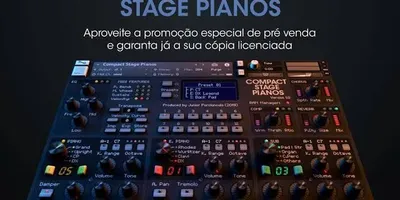
Yamaha Motif XF / ES Sound Library for Kontakt
Relive the unmistakable sound of Yamaha's legendary Workstation on your computer. It includes the iconic "Full Concert Grand," crystal-clear electric pianos, and massive string sounds. Lightweight, powerful, and classic.
Long before the "red keyboard" took the stage, churches around the world had one undisputed king: the Yamaha Motif.
Although it’s a workstation keyboard that’s been around for a while, its sounds are still among the most sought-after and widely used today, especially in gospel, pop-rock, and Latin Christian music. The best news? Now you can have all that power packed into Kontakt.
Why is the Motif still so popular?
- El "Full Concert Grand": This is, without a doubt, Yamaha’s most famous acoustic piano preset. It has a super-aggressive, bright attack that “cuts through” any mix. If your church band plays fast worship songs with heavy drums and electric guitars, this piano will stand out effortlessly.
- Electric Pianos (DX7 and Rhodes): Yamaha invented the legendary FM pianos (such as the DX7). This sound library includes those classic, crystal-clear "bell sounds" from the '80s and '90s, which are perfect for ballads.
- Strings & Brass: Yamaha workstations have always been known for their string sections, which are incredibly realistic and full of "punch"—perfect for more symphonic arrangements.
A "Bulletproof" Bookstore (Low Energy Consumption)
Unlike modern Kontakt libraries, which can be 10 or 20 gigabytes in size and require extremely powerful computers, the Motif's sounds were designed years ago to run on the keyboard's internal processors.
This means that when you import them into Kontakt, They're incredibly light. They load in the blink of an eye, use almost no RAM, and are the perfect choice if your Mac or PC isn't the newest model but you still want 100% professional-quality sound for seamless live performances.
Installation
- Download and extract the library folder.
- Contact Abre.
- You can add it from the Files searching for the folder path, or if the library includes files
What's wrong?, simply drag the instrument you want to use onto the central Kontakt screen. - Enjoy the classic sound that defined a generation of worship music!
Obtén este recurso gratis
Este archivo está alojado en nuestro canal de Telegram oficial para garantizar una descarga rápida y segura, libre de límites de velocidad.
💬 ¿Tienes dudas o quieres dar las gracias?
Únete a nuestro Grupo de Telegram