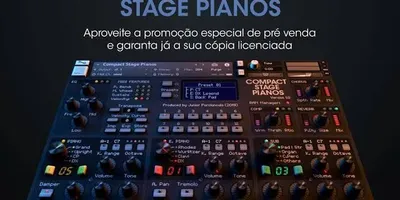
BaseLab — All-in-One Library for Kontakt (Pianos, Pads, Organ, and Arpeggiator)
Download BaseLab for Kontakt for free. An all-in-one library featuring Nord-style pianos, 3 levels of cutoff pads (Calm, Mid, Fire), Organ Lab with drawbars, Dual Zone timbres, and a standalone arpeggiator. Built-in effects included.
What if you could have pianos, pads, an organ, effects, and an arpeggiator—all in a single Kontakt library? That's exactly what BaseLab It offers: a true sound lab designed to let you build your entire setup without ever leaving a single plugin.
BaseLab isn't just another "pretty piano" bookstore. It's a all-in-one instrument with a unique visual interface, built-in professional effects, and a pad system with 3 intensity levels that you can control in real time. And yes, we're sharing it completely free.
What does BaseLab include?
The bookshelf comes with of the separate instruments Within Kontakt:
🔬 1. BaseLab (Main Tool)
The heart of the bookstore. A "lab"-style interface with multiple modules:
🎹 Pianos / Keyboards Section
- Piano sounds inspired by the Nord Stage, with a warm and distinct character.
- Ideal for contemporary worship, gospel, and pop.
🌊 Pad Lab (3 levels)
Three pads with independent cutoff to adjust the brightness of each one:
Pad
Character
Ideal Use
Calm Pad
Soft, ethereal, almost silent
Ministry, prayer, moments of intimacy
Middle Pad
Balanced, present without being overpowering
Medium-tempo worship, transitions between songs
Fire Pad
Intense, massive, filling the entire space
Climaxes of praise, epic moments
💡 Each pad has its own knob for cutoff to turn the filter on or off in real time. This lets you go from silence to a climax by turning a single knob.
⛪ Organ Lab
A module for organ with drawbars Hammond style built directly into the interface:
- Individual drawbar controls to shape your organ tone.
- Perfect for gospel, traditional worship, and moments of power.
🎛️ Dual-Zone Timbres
- Dual-layer system for simultaneously combining sounds.
- Selectable chromatic notes (C, D, E, F, G, A, B) to set the base key.
🎚️ Built-in Effects
BaseLab comes with a built-in professional effects chain, eliminating the need for external plugins:
Effect
Description
Comp
Compressor for Leveling Dynamics
Train
Tremolo for rhythmic movement
Delay
Echo/Temporary Repeat
EQ / Filter
Equalizer and filter for shaping the tone
SPACE
High-quality spatial reverb (Native Instruments' RAUM engine)
🎵 2. BaseLab Arpeggiator (Standalone Instrument)
A second file What's wrong? dedicated exclusively to the arpeggiator:
- Dual-Zone Arpeggiator: Two independent arpeggio zones that you can control using the faders or knobs on your MIDI keyboard.
- Ultra-light: Only ~0.81 MB of RAM. You can run it alongside the main BaseLab without affecting performance.
- Flexible mapping: The interface includes instructions for mapping functions to a single fader or knob for real-time control.
- Perfect for creating rhythmic textures, automatic sequences, and constant movement beneath your chords.
Who is BaseLab for?
- Tecladistas de worship who want an all-in-one instrument: piano + pads + organ + arpeggiator without having to load 4 separate plugins.
- Musicians with modest equipment: The library is lightweight (~34 MB for the main instrument) and won't slow down your computer.
- Anyone who performs live: The three levels of cutoff pads let you go from a "mellow atmosphere" to a "sonic explosion" with a single gesture.
Requirements
Requirement
Details
Required Software
Kontakt (full version recommended)
Operating System
Windows / macOS
Random Access Memory
At least 2 GB (approximately 35 MB total usage with both instruments)
Disk space
Variable (file split into 2 parts)
Download and Installation Instructions
⚠️ Important: This file is divided into 2 parts and it's only available on our Telegram channel.
- Join our Telegram channel by clicking the download button below.
- Download the 2 parts from the compressed file.
- Place both parts in the same folder on your computer.
- Unzip the Part 1 using WinRAR or 7-Zip. Part 2 will be automatically merged.
- Open Kontakt and navigate to the folder where you extracted the library.
- You'll find two files
What's wrong?:BaseLab→ The main instrument (pianos, pads, organ, effects)BaseLab Arpeggiator→ The Independent Arpeggiator
- Load whichever one you need—or both—in separate instances of Kontakt. That's it!
Tip for: Load both into your DAW: BaseLab on one MIDI channel and the Arpeggiator on another. That way, you can play chords with your left hand while the arpeggiator runs on the right (or vice versa). 🎹
PASSWORD TO UNZIP:
Samples&Vsts
Obtén este recurso gratis
Este archivo está alojado en nuestro canal de Telegram oficial para garantizar una descarga rápida y segura, libre de límites de velocidad.
💬 ¿Tienes dudas o quieres dar las gracias?
Únete a nuestro Grupo de Telegram